AnyShare-AnyBackup 添加 AnyShare 资源时,提示"内部错误,请联系技术工程师处理。原因:Error:url [POST https://<ip>:443/oauth2/tok
关键字
AnyShare 资源、oauth2、Unauthorized
适用产品
- AnyShare Enterprise 7.0.2.2
- AnyShare Express 7.0.2.2
问题描述
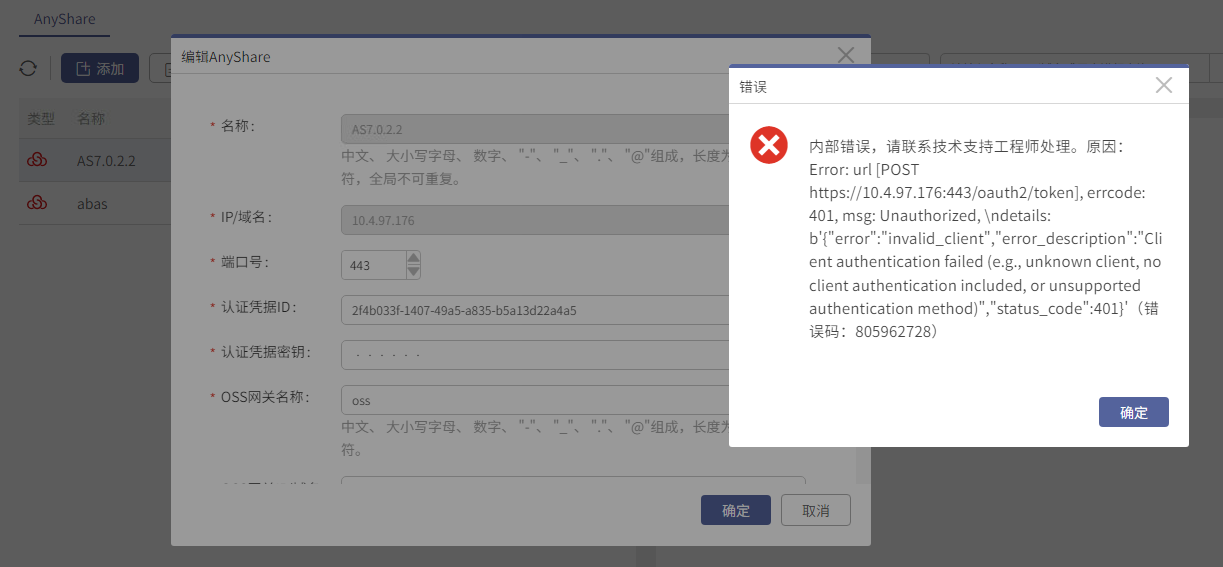
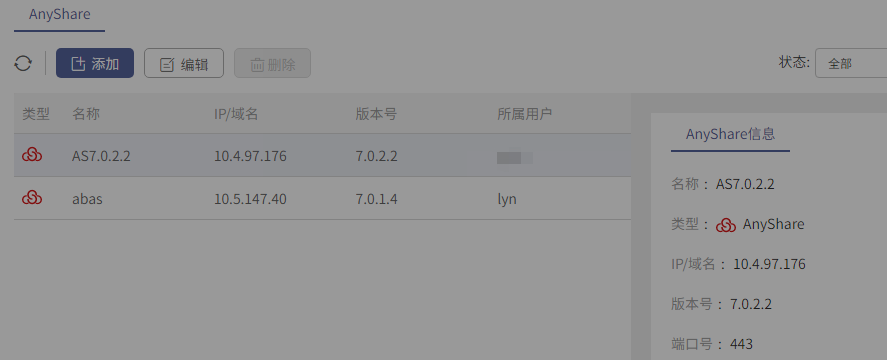
在进行 AnyBackup 高性能备份 AnyShare 操作添加 AnyShare 资源时,提示如下错误:
"内部错误,请联系技术工程师处理。原因:Error:url [POST https://<ip>:443/oauth2/token] errcode:401,msg:Unauthorized"。
问题影响
无法完成 AnyShare 资源的添加。
问题原因
添加 AnyShare 资源时,AnyShare 认证凭据填写错误。
解决方案
为解决 AnyBackup 添加 AnyShare 资源时,认证凭据填写错误导致的提示,需要从 AnyShare 集群中获取正确的认证凭据,可参考以下步骤操作:
1.确认 AnyShare 的 Master 节点,选取 ROLES 为 master 的条目,记录 INTERNAL-IP 下面的 IP 地址。
kubectl get node -o wide

2.通过 SSH 工具登录第1步中查询到的 master 节点,执行以下命令,获取认证凭据。
kubectl get secret cms-release-config-oauth-registry-info -n anyshare -ojson | python -c 'import sys, json; print(json.load(sys.stdin)["data"]["oauth_registry_info.yaml"])' | base64 -d | awk '$1~/^ossgatewaymanager/ {for (i=1;i<=2;i++) {getline;print}}'

3.登录 AnyBackup 管理控制台,重新添加 AnyShare 资源,填写第 3 步中查询到的认证凭据。
更多信息
AnyShare 高性能备份恢复方案,通过使用 AnyBackup 应用级任务编排调度技术和 AnyShare OSS 网关对象聚合技术,实现了任意场景下海量非结构化数据的高性能备份和恢复。